
VoiFlow Automation
Automate Every Task After Every Conversation
AI conversations that don't stop when the call ends.
VoiTech Workflow Automation transforms every customer interaction into an intelligent business process. Once your AI Voice Agent completes a conversation, automated workflows instantly perform the next actions your business needs—from booking appointments and updating CRMs to notifying your team, creating support tickets, generating AI summaries, sending follow-up emails, and much more.
Eliminate repetitive tasks, reduce manual work, and keep your entire business connected with secure, enterprise-grade automation.
1. Introduction
What is VoiFlow Automation?
VoiFlow Automation transforms every AI conversation into an automated business workflow. Instead of ending with the phone call, every conversation becomes the starting point of intelligent business automation.
Once an AI Voice Agent completes a conversation, VoiFlow can automatically update CRM records, schedule appointments, notify team members, generate AI summaries, create support tickets, send follow-up emails, and trigger business workflows without manual effort.
By connecting Voice AI with workflow automation, businesses can eliminate repetitive tasks, reduce operational costs, improve response times, and ensure every customer interaction is handled efficiently from start to finish.
WHY WORKFLOW AUTOMATION?
Turn Every Conversation into Business Action
Traditional AI voice systems answer calls and end the conversation. VoiTech goes further.
Every completed conversation automatically triggers intelligent workflows across your business, ensuring that customer information, appointments, notifications, reports, and follow-up actions are handled instantly without human intervention.
Benefits
How VoiFlow Works
One Conversation. Unlimited Automation.
📞 Customer Calls
🤖 VoiTech AI Voice Agent
✅ Conversation Completed
🧠 AI Extracts Customer Information
⚙️ Workflow Automation Engine
🔗 Business Applications Updated
📧 Notifications & Reports Generated
✅ Tasks Completed Automatically
Everything happens automatically in seconds.
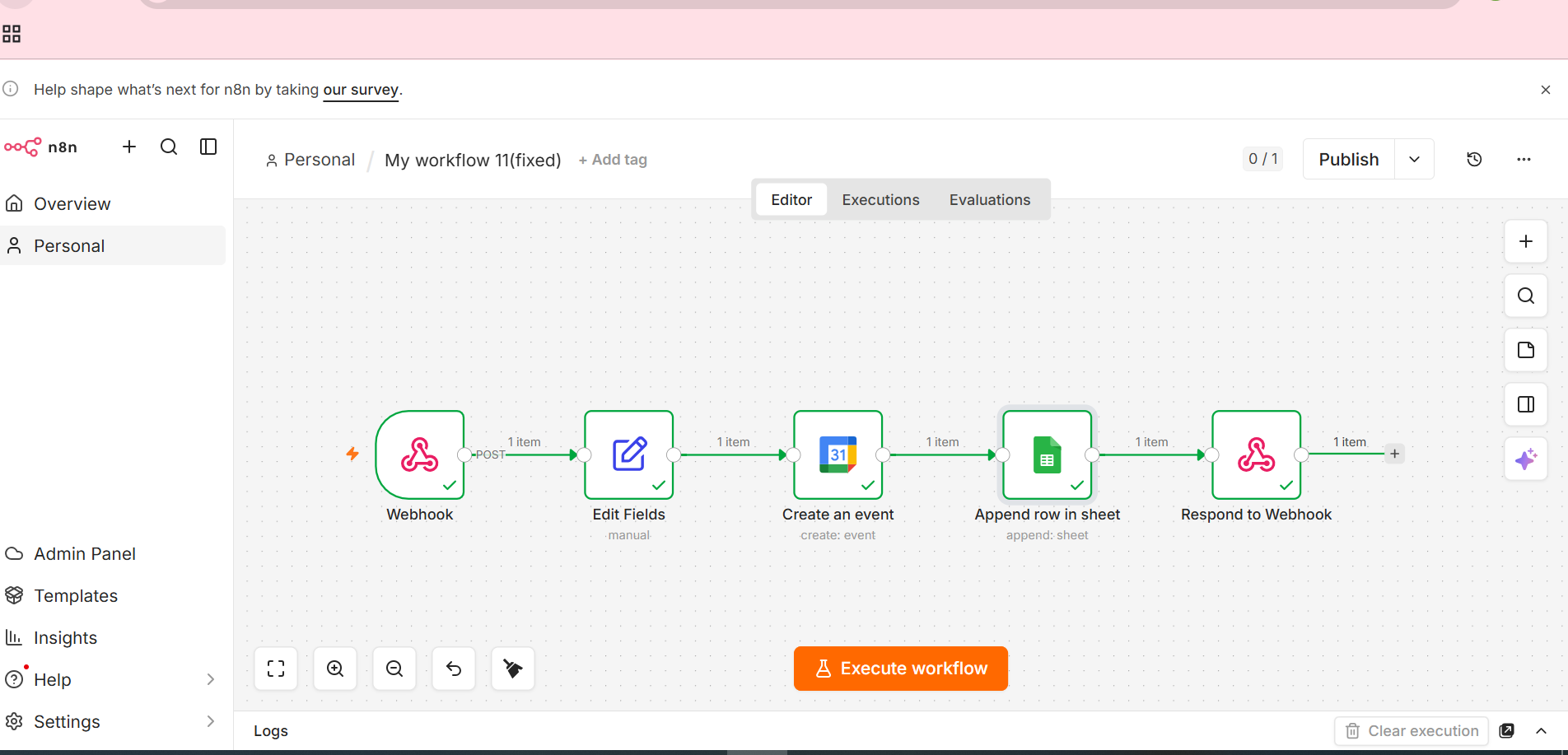
4. Enterprise Workflow Features
Intelligent automation built for modern businesses.
📅 Appointment Scheduling
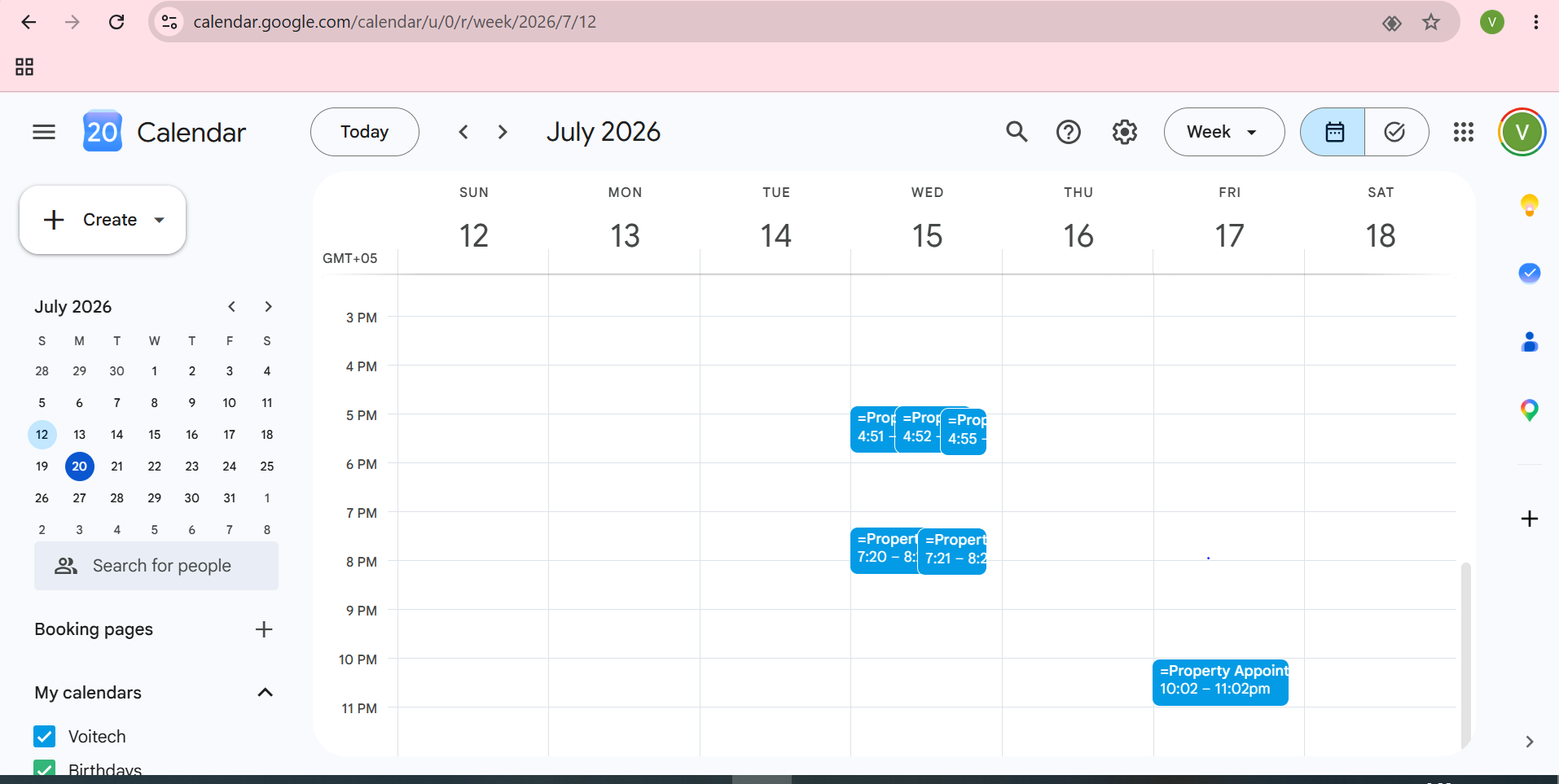
Never manually schedule appointments again. Automatically book meetings when customers confirm a date and time.
- • Google Calendar Integration
- • Microsoft Outlook Calendar
- • Automatic Appointment Creation
- • Appointment Rescheduling
- • Confirmation Emails
- • SMS Reminders
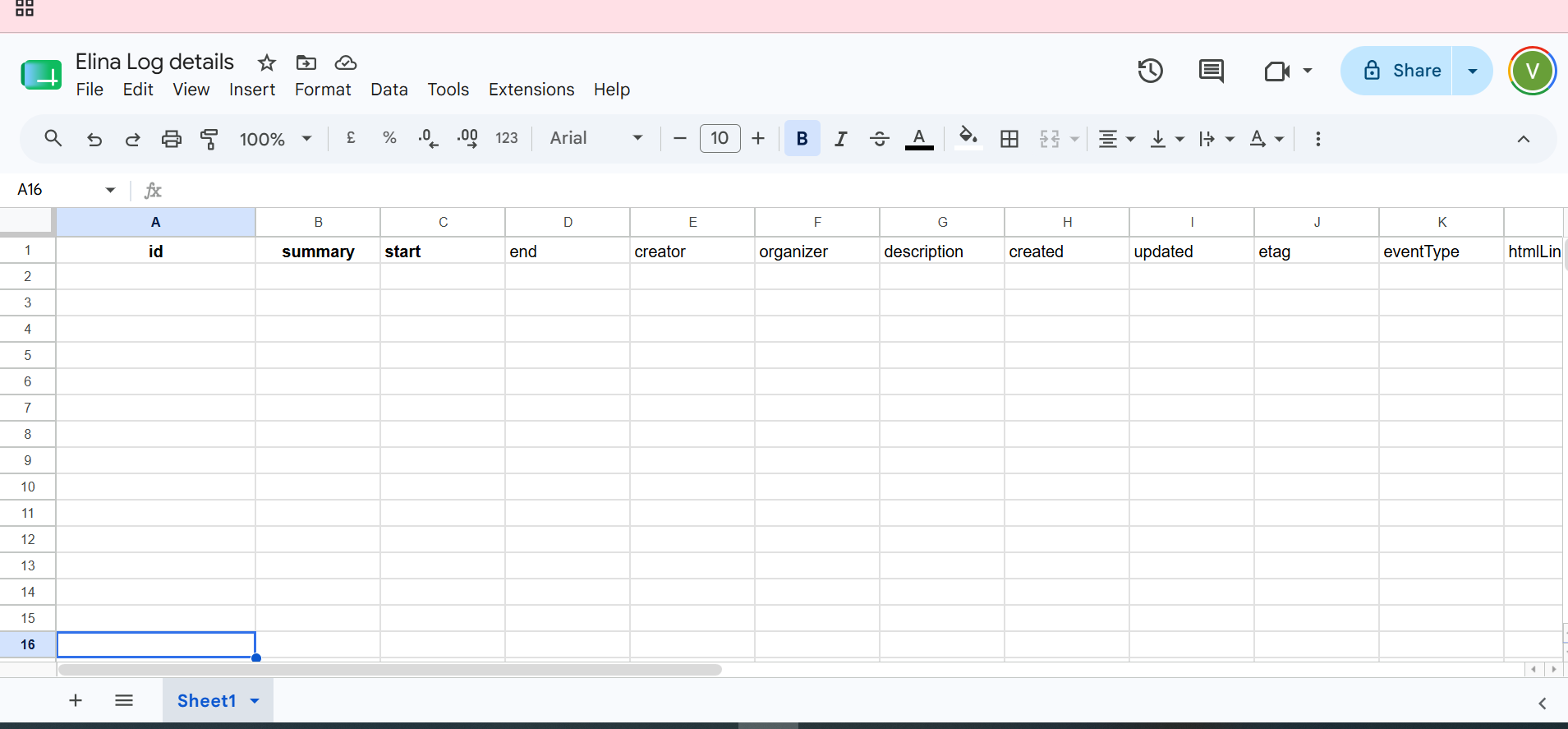
👥 CRM Automation
Automatically organize customer information after every conversation.
- • Create New Leads
- • Update Existing Contacts
- • Sales Pipeline Updates
- • Customer Notes
- • Activity Logging
- • Contact Synchronization
🤖 AI Call Summaries
Every conversation is automatically summarized using AI.
- • Customer Name
- • Phone Number
- • Email Address
- • Call Summary
- • Customer Intent
- • AI Generated Notes
🎯 Lead Qualification
Automatically identify high-quality prospects.
- • AI Lead Scoring
- • Budget Detection
- • Purchase Timeline
- • Customer Needs Analysis
- • Sales Readiness
- • Follow-up Recommendations
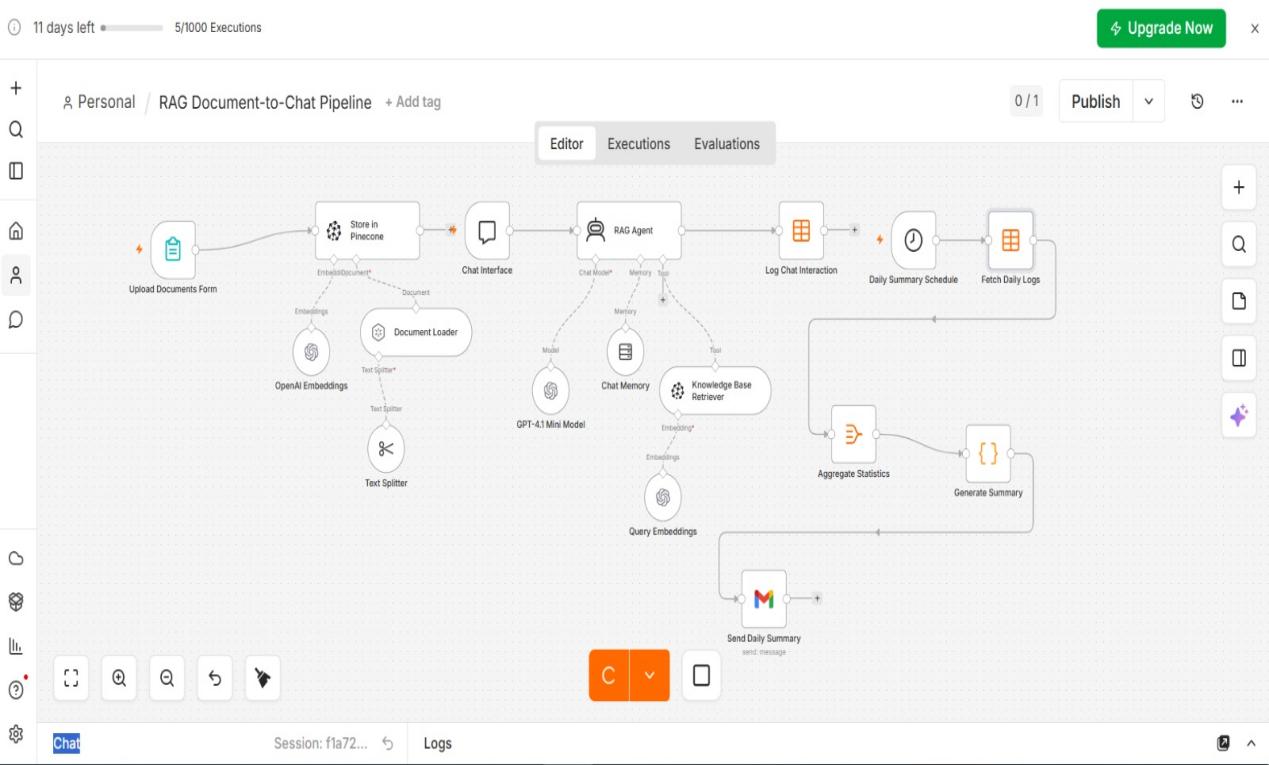
📧 Customer Notifications
Keep customers and employees informed automatically.
- • Email Notifications
- • SMS Messages
- • WhatsApp Messages
- • Slack Notifications
- • Appointment Reminders
- • Daily Reports
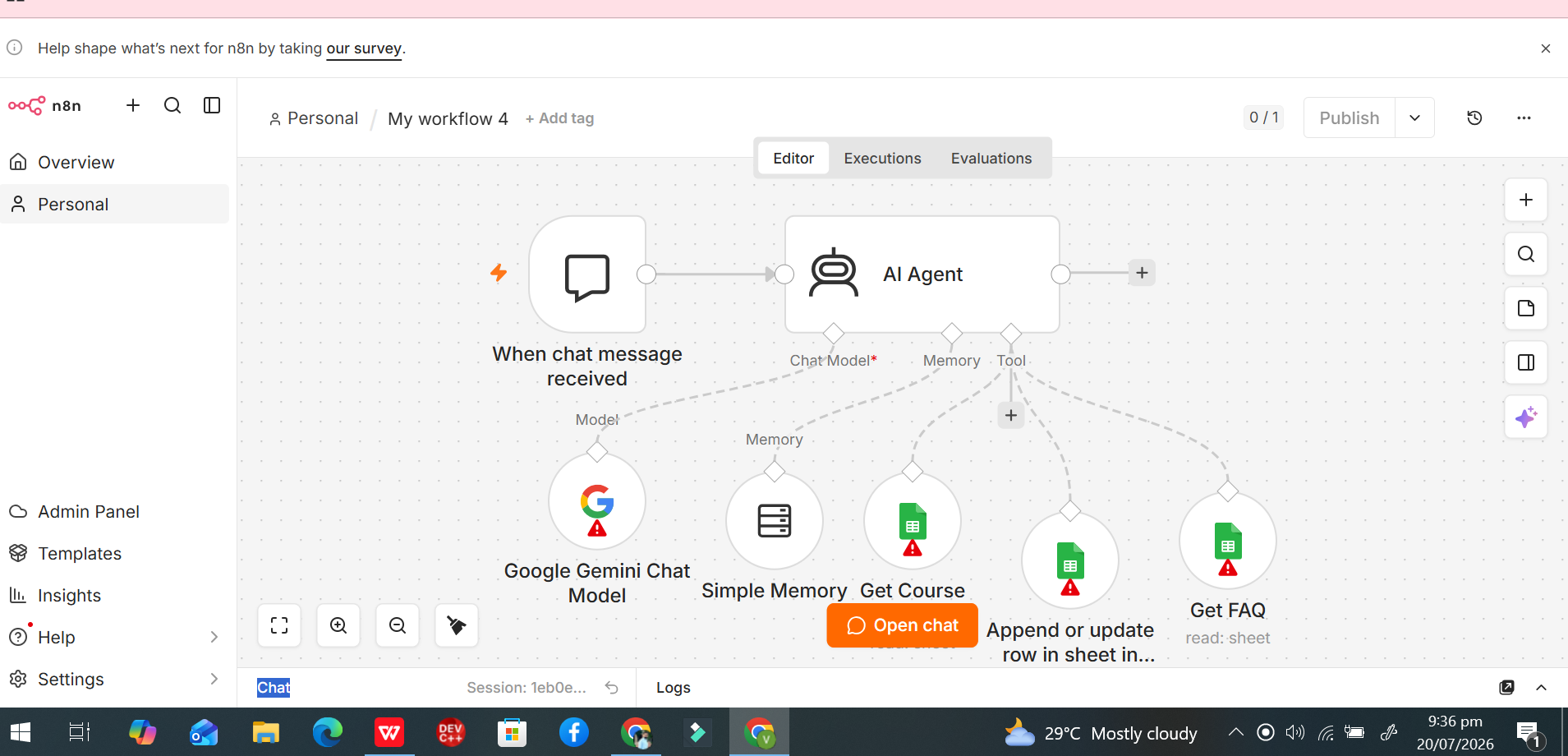
⚙️ HR Workflow Automation
Automate repetitive HR operations through voice conversations.
- • Candidate Screening
- • Interview Scheduling
- • Attendance Logging
- • HR Notifications
- • Employee Records
- • Performance Reports
🎫 Helpdesk Automation
Create support tickets without manual effort.
- • Ticket Creation
- • Issue Categorization
- • Priority Assignment
- • Department Routing
- • Customer Notifications
- • Escalation Rules
- • SLA Tracking
- • Resolution Updates
- • Internal Notes
- • Ticket Status Synchronization
📊 Reporting & Analytics
Automatically generate valuable business insights.
- • Daily Reports
- • Weekly Reports
- • Monthly Reports
- • Call Analytics
- • Appointment Reports
- • Lead Reports
- • Performance Dashboards
- • Customer Analytics
- • Workflow History
- • Exportable Reports
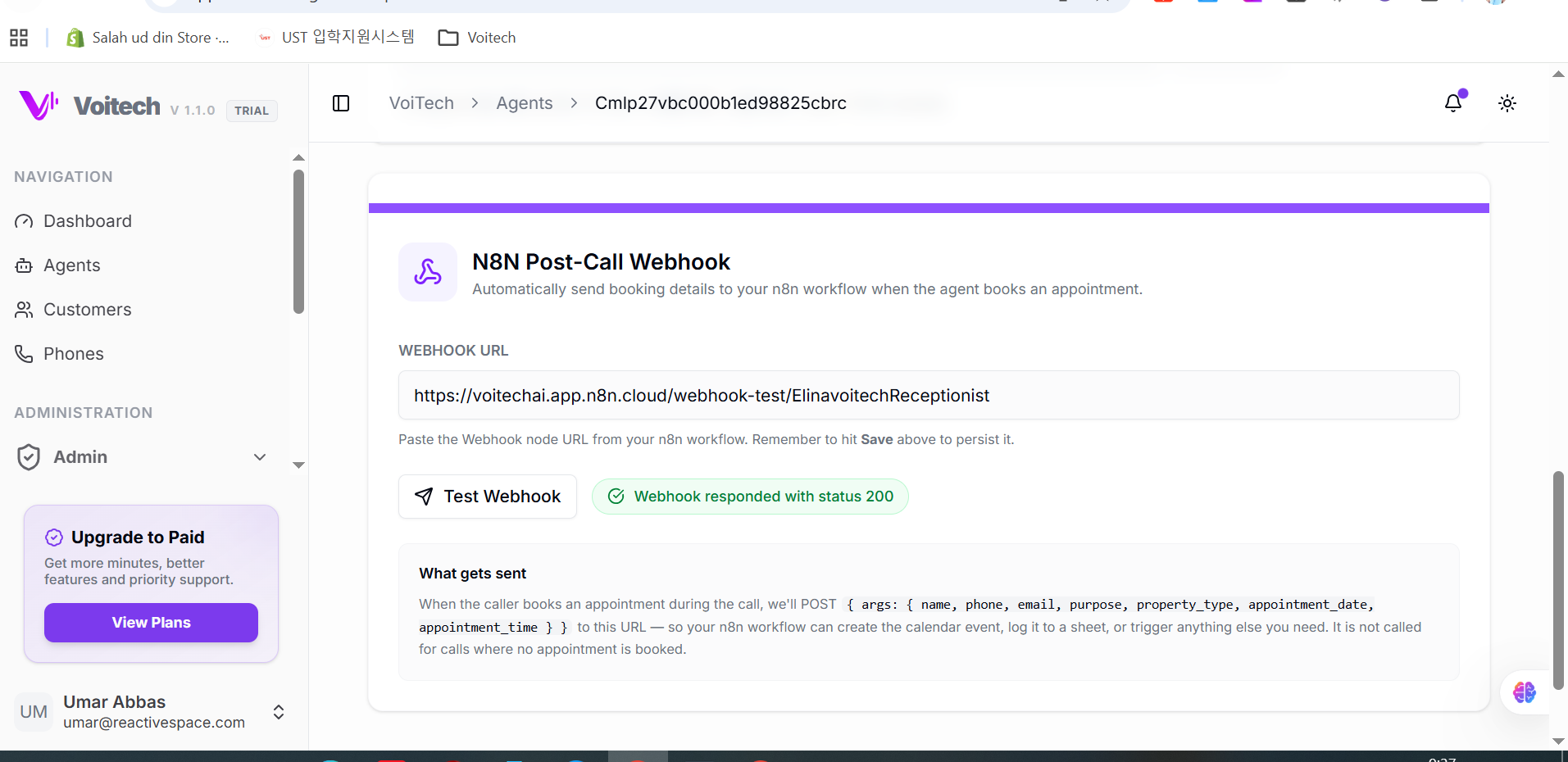
🔐 Secure Webhook & API Automation
Connect VoiTech to virtually any business application.
- • Secure Webhooks
- • REST API Support
- • JSON Payloads
- • Real-Time Event Triggers
- • Multi-Step Workflows
- • Custom API Calls
- • Authentication Support
- • Error Handling
- • Retry Logic
- • Custom Integrations
Everything happens automatically in seconds.
5. Popular Automation Use Cases
VoiFlow Automation helps businesses automate repetitive tasks across multiple industries.
🏥 Healthcare & Medical Clinics
Patient Management Automation
Managing appointments and patient records manually.
Patient Calls ↓
AI Books Appointment ↓
Google Calendar Updated ↓
Patient Record Created ↓
Confirmation SMS Sent ↓
Reception Notified ↓
Daily Report Updated
Outcome
- • Faster appointment booking
- • Reduced reception workload
- • Better patient experience
🦷 Dental Clinics
Never Miss Another Appointment
Missed calls result in lost appointments.
Patient Calls ↓
AI Books Appointment ↓
Calendar Updated ↓
Reminder SMS Scheduled ↓
Patient Database Updated ↓
Reception Team Notified
Outcome
- • More booked appointments
- • Lower no-show rates
- • 24/7 availability
🏠 Real Estate Agencies
Qualify Every Property Enquiry
Buyer Calls ↓
AI Qualifies Lead ↓
CRM Updated ↓
Viewing Scheduled ↓
Agent Assigned ↓
Email Confirmation Sent
Outcome
- • Higher quality leads
- • Faster response times
- • Better sales conversion
⚖️ Law Firms
Automate Client Intake
Client Calls ↓
Consultation Booked ↓
Case Record Created ↓
Lawyer Assigned ↓
Confirmation Email ↓
CRM Updated
Outcome
- • Faster onboarding
- • Reduced administrative work
🏨 Hotels
Reservation Automation
Guest Calls ↓
Room Availability Checked ↓
Reservation Created ↓
Confirmation Email ↓
Reception Alerted ↓
CRM Updated
Outcome
- • Faster bookings
- • Improved guest experience
🍽️ Restaurants
Booking & Order Automation
Customer Calls ↓
Table Reserved ↓
Kitchen Notified ↓
SMS Confirmation ↓
Customer Added to CRM ↓
Daily Report Updated
Outcome
- • No missed reservations
- • Better customer service

👨💼 Recruitment Agencies
Hiring Workflow Automation
Candidate Calls ↓
Candidate Profile Created ↓
Interview Scheduled ↓
HR Team Notified ↓
Google Sheets Updated ↓
Confirmation Email
Outcome
- • Faster hiring process
- • Reduced HR workload
🎧 Customer Support
Automated Ticket Management
Customer Calls ↓
Issue Identified ↓
Support Ticket Created ↓
Priority Assigned ↓
Support Team Notified ↓
Customer Confirmation Sent
Outcome
- • Faster issue resolution
- • Better customer satisfaction
READY-TO-USE AUTOMATION TEMPLATES
🚀 Deploy Workflows in Minutes
📞 AI Receptionist Workflow
- • Appointment Booking
- • Calendar Update
- • CRM Update
- • Email Confirmation
- • SMS Reminder
- • AI Summary
- • Team Notification
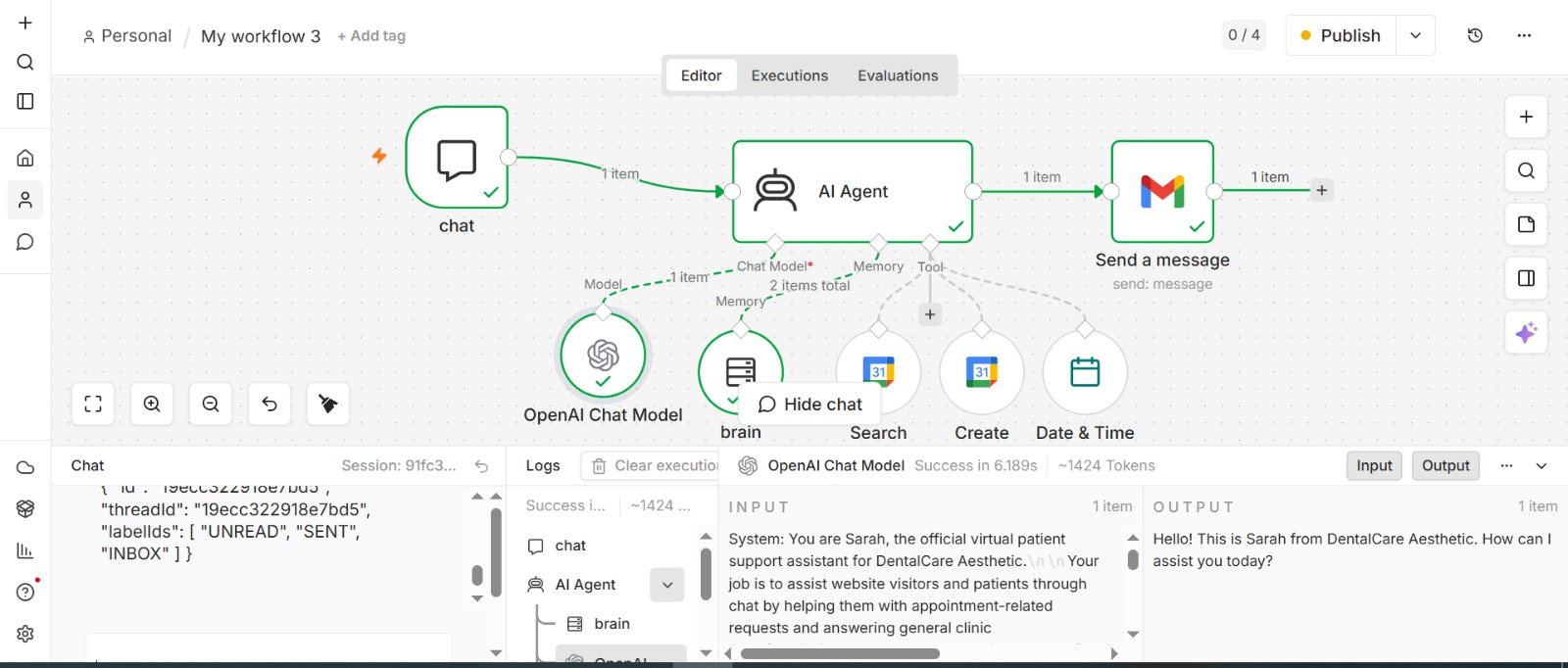
🎯 Lead Qualification Workflow
- • Customer Calls
- • AI Qualifies Lead
- • Lead Score Assigned
- • CRM Updated
- • Sales Representative Assigned
- • Follow-up Scheduled
👥 HR Recruitment Workflow
- • Candidate Calls
- • AI Screening
- • Interview Scheduled
- • HR Notified
- • Database Updated
- • Email Sent
🎧 Customer Support Workflow
- • Customer Calls
- • AI Identifies Issue
- • Ticket Created
- • Team Notified
- • Customer Updated
BUSINESS APPLICATIONS WE CONNECT WITH
Integrate With Your Existing Software
📅 Calendar
- • Google Calendar
- • Microsoft Outlook
- • Microsoft 365
- • Calendly
👥 CRM
- • HubSpot
- • Salesforce
- • Zoho CRM
- • Pipedrive
- • Monday CRM
- • Microsoft Dynamics
💬 Communication
- • Gmail
- • Outlook
- • Slack
- • Microsoft Teams
- • Twilio
- • Telegram
- • Discord
⚡ Productivity
- • Google Sheets
- • Excel
- • Airtable
- • Notion
- • ClickUp
- • Monday.com
- • Trello
- • Asana
🎫 Helpdesk
- • Zendesk
- • Freshdesk
- • Jira
- • Intercom
🛒 Commerce
- • Shopify
- • WooCommerce
- • Stripe
- • Xero
- • QuickBooks
🗄️ Databases
- • PostgreSQL
- • MySQL
- • MongoDB
- • Firebase
- • Supabase
🛠️ Developer Tools
- • REST APIs
- • Secure Webhooks
- • JSON
- • Custom APIs
- • Enterprise Integrations
ENTERPRISE FEATURES
Built for Security, Reliability & Scale
WHY CHOOSE VOITECH?
More Than an AI Voice Agent
| Traditional Voice AI | VoiTech Workflow Automation |
|---|---|
| Answers customer calls | Answers calls and completes business tasks |
| Takes messages | Automatically updates CRM systems |
| Books appointments | Sends confirmations and reminders |
| Stores conversations | Generates AI summaries and transcripts |
| Works independently | Connects with your entire software ecosystem |
| Limited integrations | Hundreds of integrations and custom workflows |
| Requires manual follow-up | Automates follow-up instantly |
| Basic call handling | End-to-end business process automation |
FREQUENTLY ASKED QUESTIONS
Can I connect my existing CRM?
Yes. VoiTech integrates with popular CRM platforms and also supports custom CRM systems through APIs and webhooks.
Can workflows be customized?
Absolutely. Every workflow can be tailored to match your business processes.
Do you support custom integrations?
Yes. We can connect VoiTech with virtually any application that supports APIs or webhooks.
Are workflows triggered automatically?
Yes. Workflows begin automatically after specific events such as completed calls, booked appointments, qualified leads, or customer requests.
Is customer data secure?
Yes. VoiTech follows enterprise security best practices, including encrypted communication, secure authentication, and GDPR-compliant data handling.
Can multiple workflows run simultaneously?
Yes. Multiple workflows can execute in parallel for different departments or business processes.
Which industries can benefit?
Healthcare, dental clinics, legal firms, real estate, hospitality, restaurants, automotive, recruitment, customer support, financial services, education, and many more.